
That’s right, it’s arrived: the ability to receive partial purchase orders in QuickBooks Online. And you won’t need a work around.
After years of having to use a work around to receive partial purchase orders in QuickBooks Online, we finally have it, and it’s really easy to use. There’s no setup, no preferences to set. As long as you have QuickBooks Online Plus and have purchase orders turned on, you can receive partial purchase orders in QuickBooks Online. YAY!

Here’s how to receive partial purchase orders in QuickBooks Online.
You’ll need to start by creating a Purchase Order.

Now, let’s do some receiving. Here we are entering a direct expense.

Because didn’t enter a quantity of 10 – we edited to receive only 2 – the original Purchase Order now reflects this.

We can receive partial purchase orders in QuickBooks Online using checks:

Each time we enter a purchase transactions and choose the appropriate purchase order from the drawer from which we add items, the original purchase order is updated in the quantity received column:

We can receive partial purchase orders in QuickBooks Online using Vendor Bills as well.
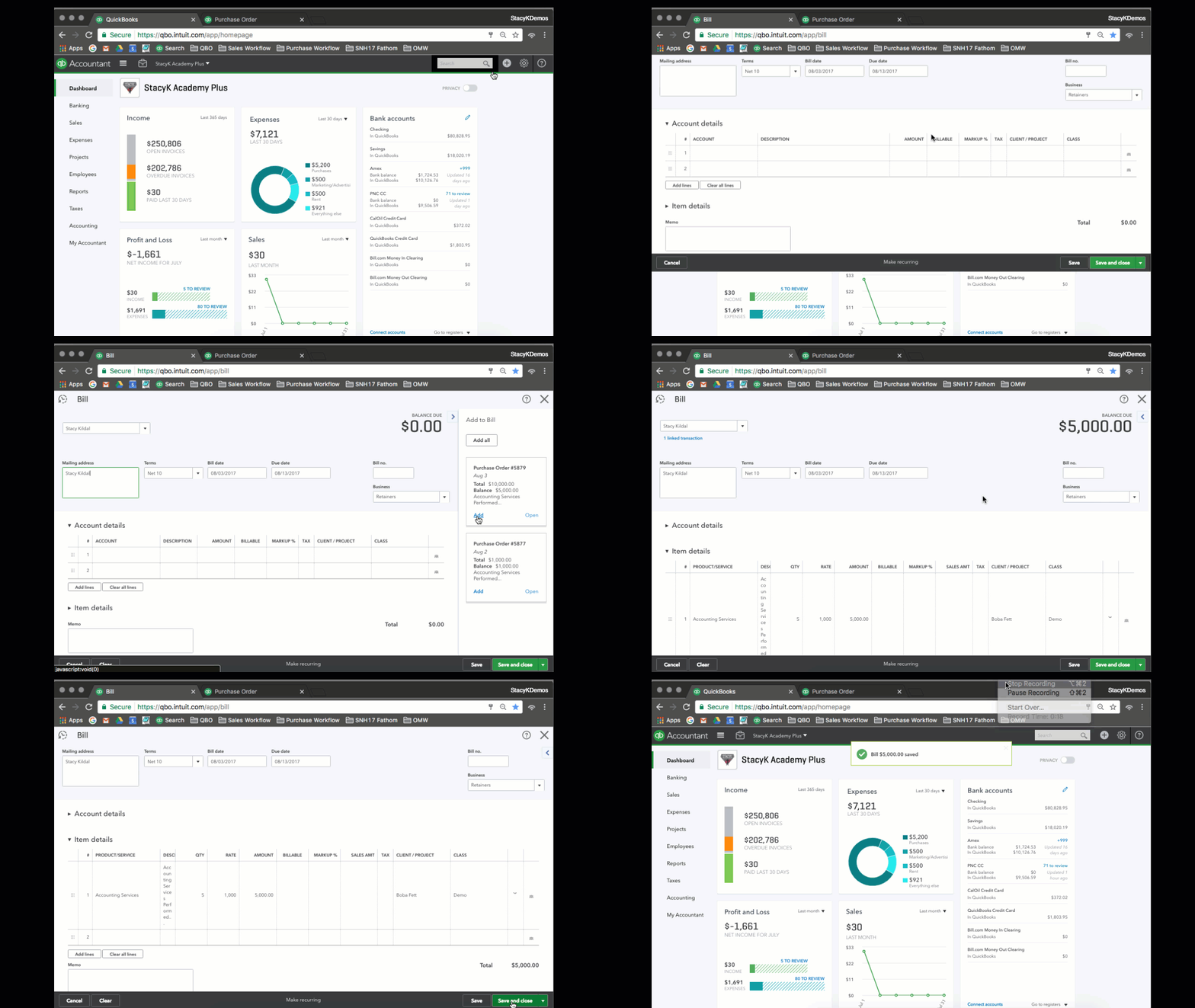
Note the amount of the purchase order in the drawer, after we receive partial purchase orders in QuickBooks Online.

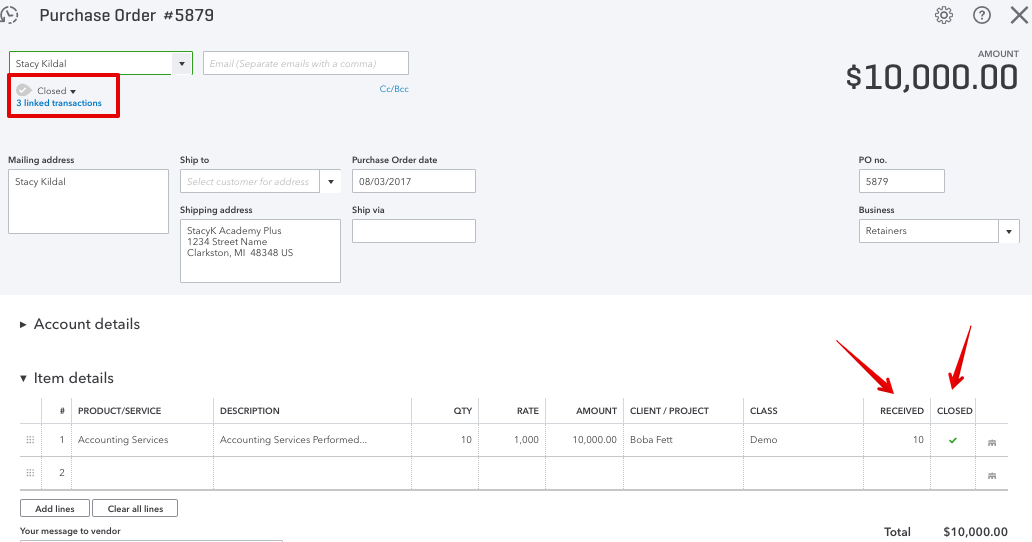
And once we receive partial purchase orders in QuickBooks Online to reflect the total quantity, QBO will close the PO for us, and we get direct links to the expense transaction with which we were able to receive partial purchase orders in QuickBooks Online!
As far as I’m concerned, this is one of the biggest updates in QBO that we’ve seen in while. Can’t wait to see what’s coming up!